
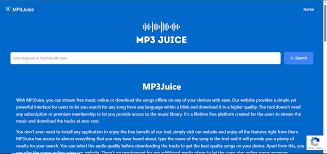
Mp3Juice has long been a go-to platform for users seeking quick and free access to MP3 music files. As one of the most popular free MP3 downloaders available online, Mp3Juice allows individuals to search for songs, preview them, and download them directly to their devices without needing to sign up or pay any fees. The platform aggregates music from various sources across the web, often pulling audio from video hosting sites and converting it on the fly. This simplicity has made Mp3Juice a favorite among music enthusiasts who want offline access to their favorite tracks.
One of the most common questions users have when using Mp3Juice is about download times: How long does it actually take to get a song downloaded? The answer isn’t straightforward, as it depends on several variables. In general, Mp3 Juice downloads are designed to be fast, with many users reporting that a standard song file begins downloading within seconds after clicking the download button. For a typical 3-5 minute pop song in MP3 format at 320kbps, the entire process—from search to completed download—can take anywhere from 10 seconds to a couple of minutes on a decent connection.
Understanding the Mp3Juice Download Process
To better grasp why download times vary, it’s helpful to break down how Mp3Juice works. When you enter a song title, artist name, or even paste a video link into the search bar on Mp3Juice, the platform scans multiple sources to find matching audio files. Results appear quickly, often in a matter of seconds, thanks to its efficient search engine.
Once you select a result and hit the download button, a few things happen behind the scenes:
- Source Selection and Conversion: Mp3Juice doesn’t host files itself; it links to external sources. If the source provides a direct MP3, the download starts immediately. However, in many cases—especially when pulling from video platforms—the file needs to be converted to MP3 format first. This conversion step can add a short delay, typically lasting from a few seconds to around 30 seconds, depending on the song’s length and the server’s load.
- File Size Determination: Most songs on Mp3Juice are available in qualities ranging from 128kbps to 320kbps. A higher bitrate means better audio quality but a larger file size. For example:
- A 4-minute song at 128kbps might be around 4-5 MB.
- The same song at 320kbps could be 9-12 MB.
- Lower quality options download faster simply because there’s less data to transfer.
- Actual Transfer: Once conversion (if needed) is complete, the file transfers to your device. This is where your internet speed plays the biggest role.
Many Mp3Juice mirrors and variants emphasize “instant” or “within seconds” downloads, and for small files on fast connections, this is accurate. Users often praise the platform for its speed compared to other free downloaders.
Key Factors That Influence Mp3Juice Download Times
Several elements can speed up or slow down your Mp3Juice experience:
- Your Internet Connection Speed: This is the primary factor. On a high-speed broadband or fiber connection (50-100 Mbps or more), a 10 MB file can download in under 10 seconds. On mobile data like 4G, it might take 20-40 seconds, while slower 3G or congested Wi-Fi could extend it to over a minute. Peak usage times or network throttling can further impact this.
- Server Load and Source Availability: Mp3Juice relies on third-party sources. If the selected source server is busy or experiencing high traffic, conversion and download can slow down. Some users report occasional waits if multiple people are accessing the same file simultaneously.
- Device and Browser Performance: Downloading on a modern smartphone or computer with a clean browser tends to be quicker. Background apps, low storage space, or an outdated browser can cause hiccups. Mobile users might notice slight differences compared to desktop.
- File Quality and Length: Opting for lower bitrate reduces time, as mentioned. Longer tracks, like podcasts or extended mixes, naturally take longer due to larger sizes.
- Time of Day and Geographic Location: Servers may respond faster during off-peak hours. Proximity to the source server also matters—users closer to data centers often see quicker speeds.
In optimal conditions—a stable high-speed connection, direct source without heavy conversion, and standard 320kbps quality—Mp3Juice downloads rarely exceed 30-60 seconds per song. Batch downloading multiple tracks sequentially can accumulate time, but since Mp3Juice typically handles one at a time, it’s still efficient for building playlists.
Real-User Experiences with Mp3Juice Download Speeds
Anecdotal feedback from users highlights the platform’s efficiency. Many describe the process as “quick and seamless,” with downloads starting almost instantly and completing rapidly. Testimonials often note that Mp3Juice outperforms similar sites in speed, attributing this to its streamlined interface and reliable sources. However, during high-traffic periods or when sources require extensive conversion, some report waits of up to a minute or two.
For power users downloading albums or multiple songs, the cumulative time adds up, but individual tracks remain fast. Refreshing the page or trying alternative results can often resolve slower sources.
Tips to Maximize Download Speed on Mp3Juice
If you’re looking to minimize wait times on Mp3Juice:
- Use a wired connection or strong Wi-Fi signal whenever possible.
- Choose lower bitrate options if speed is priority over quality.
- Avoid peak hours when servers might be overloaded.
- Clear your browser cache and ensure sufficient device storage.
- Select results from reputable sources that offer direct downloads.
Potential Drawbacks and Variability
While Mp3Juice is generally speedy, variability is common with free platforms. Domain changes due to operational issues can lead to temporary slowdowns on certain mirrors. Additionally, ad blockers or VPNs might interfere, though many users report no issues.
In summary, Mp3Juice downloads are among the faster options in the free MP3 downloader space, typically taking seconds to a minute per song under normal circumstances. The platform’s design prioritizes quick access, making it ideal for on-the-go music acquisition. Factors like connection speed and file choices allow users to fine-tune their experience for even better performance.
Whether you’re grabbing the latest hits or classic tracks, Mp3Juice continues to deliver a convenient and relatively swift downloading process for music lovers worldwide.